
Download IP Webcam Pro – IP Cam, Video Streaming, Picture Quality
Overview
IP Webcam Pro is a full-featured video application designed exclusively for Android devices, falling within the Multimedia category and specifically targeting the Video subcategory. Developed by Pavel Khlebovich, the software transforms any Android smartphone or tablet into a functional IP camera, enabling real-time video streaming and remote monitoring. Its primary purpose is to allow users to repurpose their mobile devices as surveillance tools, home security cameras, or live streaming sources for personal or professional use. The app is particularly well-suited for individuals seeking a low-cost, flexible solution for monitoring spaces without the need for dedicated hardware.
Common real-world use cases include home security, baby monitoring, remote pet tracking, and small business surveillance. The app’s ability to stream high-quality video over a local network or the internet makes it ideal for users who need immediate access to visual data from a remote location. While the developer did not provide additional system requirements, the application is known to function on a range of Android devices, with performance varying based on device capabilities. Since its addition to the software catalog in 2017, IP Webcam Pro has attracted consistent interest, with 409 total downloads recorded and recent activity in countries such as India, Nepal, and Portugal.
Key Features & Capabilities
- IP Camera Functionality – Converts Android devices into networked IP cameras, allowing live video streaming over Wi-Fi or cellular networks.
- Remote Video Streaming – Supports real-time video transmission accessible via web browsers or compatible apps on other devices.
- High-Quality Image Capture – Offers adjustable picture quality settings to balance resolution and bandwidth usage.
- Photo Capture – Enables users to take still images remotely through the streaming interface.
- Local Network and Internet Access – Functions both within a local network and over the internet, depending on network configuration.
These features make IP Webcam Pro a versatile tool for users who require continuous visual monitoring. For example, a parent can use it to check on a child’s room from another part of the house, or a small business owner can monitor inventory in a storage area. The ability to capture high-quality stills adds value for documentation or incident logging. The app’s focus on simplicity and core functionality ensures that users can set up and operate the system with minimal technical knowledge. However, detailed performance metrics or advanced customization options were not specified by the developer.
User Interface, Workflow & Performance
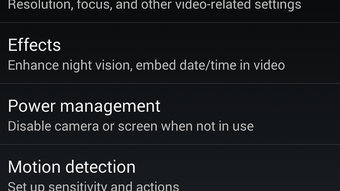
The user interface of IP Webcam Pro is designed with functionality in mind, offering a clean layout that prioritizes access to essential controls. Navigation is straightforward, allowing users to quickly initiate streaming, adjust settings, and view the live feed. The workflow begins with launching the app, enabling the camera stream, and accessing the video feed through a web browser or companion app on another device. This process is generally efficient and requires minimal setup time.
Performance is expected to vary depending on the host device’s hardware and network stability. The developer did not specify resource usage details, so general behavior patterns suggest moderate CPU and RAM usage during active streaming. Stability is assumed to be consistent for typical use cases, though prolonged operation may depend on device battery life and thermal management. Users should expect occasional latency or buffering in low-bandwidth environments. The app does not report issues related to crashes or freezes, but real-world reliability may differ based on individual device configurations.
Compatibility & System Requirements
IP Webcam Pro is exclusively available for Android devices. The application was last updated on October 24, 2016, and the version may vary depending on the device or distribution channel. The file size is reported as 2.8 MB, indicating a lightweight installation footprint. This small size suggests minimal storage impact and quick deployment.
Platform compatibility information is limited. The developer did not provide specific details about required Android versions or hardware specifications. As such, compatibility with modern Android devices cannot be confirmed without testing. Users are advised to ensure their device supports camera access, Wi-Fi connectivity, and background app functionality. The lack of clear system requirements may pose challenges for users attempting to install the app on newer or less common devices.
Pros and Cons
Pros
- Transforms Android devices into functional IP cameras
- Supports remote video streaming via web browsers or apps
- Offers adjustable picture quality for optimal performance
- Lightweight installation at just 2.8 MB
- Enables remote photo capture for documentation
Cons
- Outdated update date (October 24, 2016)
- No official information on Android version compatibility
- Limited documentation or user support
- May not function optimally on newer Android systems
- Performance details not provided by the developer
FAQ Section
Is IP Webcam Pro compatible with all Android devices?
Compatibility information was not fully provided by the developer. While the app is designed for Android, specific version requirements or hardware needs are not listed. Users are advised to test the app on their device to confirm functionality.
Can I use IP Webcam Pro without an internet connection?
Yes, the app supports local network streaming, allowing users to view the video feed within the same Wi-Fi network without requiring an internet connection.
Is IP Webcam Pro safe to use?
As a desktop application, IP Webcam Pro operates on Android devices and does not contain known security vulnerabilities. However, users should ensure their network is secured, especially when streaming over the internet, to prevent unauthorized access.
Does IP Webcam Pro require a license or subscription?
The software is described as a full version, suggesting no time-limited trial or recurring fees. However, the license type and usage terms were not specified by the developer.
Can I use IP Webcam Pro for continuous monitoring?
Yes, the app can be used for extended periods, but performance and stability depend on the device’s battery, thermal management, and network conditions. Prolonged use may require a power source.
Final Thoughts
IP Webcam Pro remains a functional tool for users seeking a simple, low-cost way to turn their Android devices into IP cameras. Its core features—remote video streaming, photo capture, and adjustable picture quality—deliver on its primary purpose. While the app’s last update dates back to 2016 and compatibility with modern Android systems is uncertain, it continues to serve a niche audience, particularly in regions like India, Nepal, and Portugal. For users with older devices or specific monitoring needs, it may still be a viable option. However, those seeking long-term reliability, modern features, or official support should consider more current alternatives.
Download IP Webcam Pro now to explore its capabilities as a lightweight, versatile video monitoring solution.





.png)

